
What Is a Business Password Vault and Why Should Your Company Use One?
Businesses across Greater Montgomery, Nashville, and Middle Tennessee rely on dozens of online accounts every day, from email and payroll systems to client databases, financial platforms, cloud applications, donor platforms, scheduling tools, vendor portals, and shared administrative systems. Using strong, unique passwords for every account is one of the simplest ways to protect sensitive business information, but managing dozens of passwords without help is difficult.
A business password vault solves this problem by securely storing passwords, generating strong credentials, and making it easier for employees to access the accounts they need without resorting to password reuse, spreadsheets, sticky notes, or browser-saved logins.
Whether you operate a medical practice in Montgomery, a law firm in Prattville, a nonprofit in Nashville, or a growing business anywhere in Middle Tennessee, a password vault is one of the most practical cybersecurity improvements you can make.
Why Passwords Are Still a Business Risk
Every business account should have a strong, unique password. Unfortunately, employees often manage dozens of logins, making it tempting to reuse passwords, save them in unsecured documents, or share them through email or text.
These habits increase the risk of unauthorized access and data breaches.
Common password mistakes include:
- Reusing passwords across multiple accounts
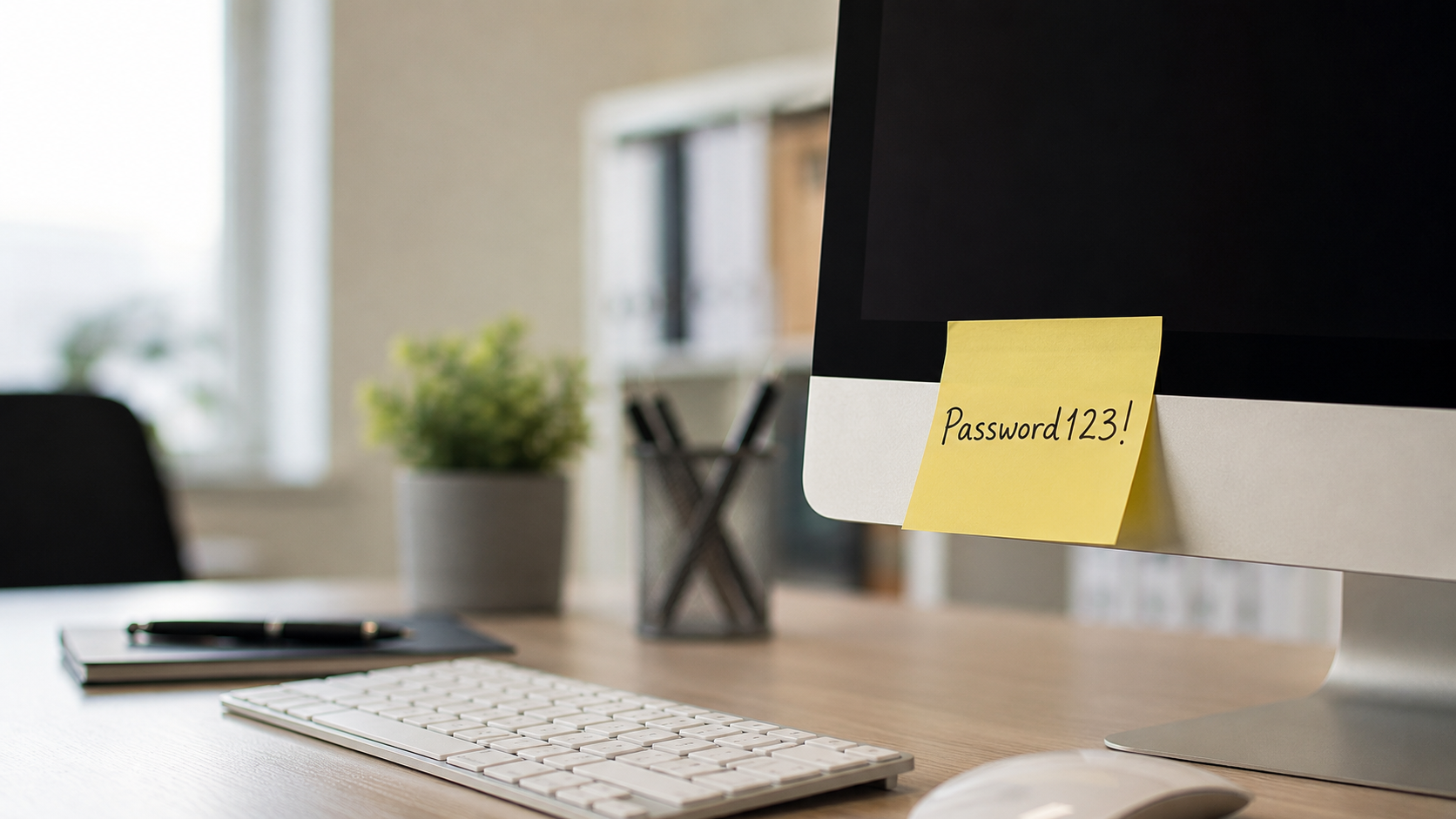
- Writing passwords on sticky notes
- Saving passwords in spreadsheets or documents
- Sharing credentials through email or messaging apps
- Relying on browser-saved passwords for business accounts
The Cybersecurity and Infrastructure Security Agency (CISA) recommends using a password manager because it helps generate, store, and autofill strong passwords while identifying weak or reused credentials.
What Is a Business Password Vault?
A password vault—also called a password manager—is an encrypted application that securely stores passwords in one protected location. Employees only need to remember one strong master password while the vault manages the rest.
A business password vault can:
- Generate strong, unique passwords
- Securely store login credentials
- Autofill approved logins
- Safely share passwords with authorized employees
- Identify weak or reused passwords
- Simplify onboarding and offboarding
- Reduce password reset requests
Instead of relying on memory or insecure workarounds, employees have a secure and organized way to access the systems they need.
Who Should Use a Business Password Vault?
Almost every organization benefits from better password management, but password vaults are especially valuable for businesses that manage sensitive information or shared accounts.
Examples include:
- Healthcare providers
- Law firms
- Accounting and CPA firms
- Financial advisors and insurance agencies
- Schools and educational organizations
- Nonprofits
- Manufacturers
- Professional service firms
- Small and mid-sized businesses
From medical practices in Montgomery to manufacturers across Middle Tennessee and professional firms serving the Greater Nashville area, centralized password management reduces security risks while making day-to-day operations easier.
Password Vault vs. Traditional Password Management
| Traditional Methods | Business Password Vault |
| Sticky notes | Encrypted storage |
| Password spreadsheets | Secure centralized vault |
| Password reuse | Unique password for every account |
| Email or text sharing | Secure password sharing |
| Difficult offboarding | Centralized user management |
| Browser password storage | Administrative controls |
| Little accountability | Role-based access and reporting |
A password vault improves security while reducing administrative headaches for employees, office managers, and IT teams.
Why Password Vaults Matter in Regulated Industries
Organizations that handle confidential information face greater responsibility for protecting access to their systems.
This includes:
- Healthcare organizations managing patient information
- Law firms protecting confidential client records
- Financial organizations handling sensitive financial data
- Schools managing student records
- Nonprofits protecting donor information
A compromised password can expose email, financial records, client files, or other sensitive data.
Password vaults reduce these risks by making secure password practices simple for everyday users.
NIST’s Digital Identity Guidelines support stronger authentication practices that protect the authentication process—not just password complexity.
Whether your organization serves Montgomery, Prattville, Nashville, or communities throughout Middle Tennessee, stronger password management is one of the easiest ways to improve cybersecurity.
Eliminate the Sticky Note Problem
Passwords written on sticky notes, whiteboards, notebooks, or printed lists remain one of the simplest—and most preventable—security risks.
Visitors, contractors, vendors, cleaning crews, or temporary employees may all have access to office spaces where passwords are left exposed.
A password vault keeps credentials encrypted and accessible only to authorized users, eliminating the need for insecure physical storage.
How Password Vaults Help Office Managers
In many small and mid-sized businesses, office managers become the unofficial keepers of passwords. They often manage vendor portals, payroll systems, scheduling platforms, shared inboxes, and administrative accounts.
Without a password manager, those credentials often end up in spreadsheets, notebooks, emails, or text messages.
A business password vault makes it easier to:
- Organize shared accounts
- Securely share passwords with authorized employees
- Remove access when employees leave
- Reduce password reset requests
- Keep personal and business credentials separate
- Improve accountability across the organization
For businesses throughout Greater Montgomery, Nashville, and Middle Tennessee, this saves time while strengthening security.
Password Vaults Do Not Replace MFA
A password vault is an important security tool, but it should be paired with multi-factor authentication (MFA).
MFA requires a second verification method—such as an authentication app, hardware security key, or biometric verification—in addition to a password. Even if a password is compromised, MFA helps prevent unauthorized access.
The strongest approach combines:
- A business password vault
- Strong, unique passwords for every account
- Multi-factor authentication
- Regular access reviews
Together, these practices significantly reduce the risk of compromised accounts.
What to Look for in a Business Password Vault
Not every password manager is designed for business use. When evaluating solutions, prioritize features that improve both security and ease of administration.
Look for:
- Business user management
- Secure password sharing
- Role-based permissions
- Multi-factor authentication support
- Strong encryption
- Password health reporting
- Administrative controls
- Simple onboarding and offboarding
- Support for shared accounts
- Separate personal and business vaults
The best solution is one employees will actually use consistently.
Build a Better Password Culture
Technology alone cannot protect your business. Strong cybersecurity depends on everyday habits.
Business owners establish expectations. Office managers organize access. Employees use unique passwords. IT professionals implement secure tools and policies.
A password vault makes secure password management the easiest option instead of the most difficult one.
Simple improvements—such as eliminating password reuse, removing sticky notes, and securely sharing credentials—can greatly reduce your organization’s cyber risk.
Final Takeaway
Passwords remain one of the most common targets for cybercriminals, but they do not have to become your weakest security link.
If your team still relies on sticky notes, spreadsheets, browser-saved passwords, or shared credentials, implementing a business password vault is one of the fastest and most cost-effective cybersecurity improvements you can make.
Combined with multi-factor authentication, strong password policies, and employee security awareness, a password vault helps protect your employees, customers, business data, and reputation.
Whether your organization is located in Montgomery, Prattville, Nashville, or anywhere across Middle Tennessee, stronger password management is a practical step toward a more secure business.
Bacheler Technologies helps organizations throughout Greater Montgomery and Middle Tennessee implement practical cybersecurity solutions that fit the way they actually work. Whether you need help selecting a password manager, deploying MFA, or improving your overall cybersecurity posture, our team is here to help.
Ready to strengthen your password security? Contact Bacheler Technologies to schedule a cybersecurity assessment and learn how a business password vault can better protect your organization.
Frequently Asked Questions
Are business password vaults safe?
Yes. Reputable password managers use strong encryption to securely store passwords and are designed so only authorized users can access stored credentials.
Can employees securely share passwords?
Yes. Business password vaults allow authorized users to share credentials without sending passwords through email, text messages, or chat applications.
Does a password vault replace multi-factor authentication?
No. A password vault and MFA work together. Password managers protect your credentials, while MFA adds an additional layer of security if a password is compromised.
Are browser password managers enough for businesses?
Browser-based password storage can be convenient, but dedicated business password managers typically offer centralized administration, secure sharing, reporting, role-based access, and better visibility for managing organizational passwords.